internet service

Welcome to our community

Be a part of something great, join today!

Sinobas

Banned User
BANNED
Joined
Feb 15, 2009
Messages
14,608
Likes
5,486
Points
113
Does anyone here use Frontier FIOS? I've been on a 1 Mbps DSL deal from Frontier, just because it's cheap. I might bite the bullet and get Comcast, but was also thinking about Frontier FIOS. It looks like they have good rates, but I've read some really bad reviews about them.
 
Everyone here will get all butthurt about Comcast but they have always treated me well. Frontier fucked me when I moved into my house. Dude came and never knocked or rang the doorbell. I was sitting in the living room right next to the door. He just left a note that I wasn't present for the appointment. Called Comcast, they hooked me ip with 50. Mbps internet for $19.99/month that day.

Fuck frontier
 
1 Mbps?!?

Ouch!

Yes, it sucks waiting for my porn to buffer. When we bought the house there were no cable outlets upstairs, just a phone jack, so I went with DSL. I thought about upgrading to FIOS, but got scared by some articles I read about frontier doing shady things. Like they were charging $500 to hook up TV service because they didn't want any TV customers, and the government had to step in.

I just called Comcast and got 105MB service, with HBO, streamix, and digital starter for $99 for two years. Then I'll just use wi-fi throughout the house.
 
Yes, it sucks waiting for my porn to buffer. When we bought the house there were no cable outlets upstairs, just a phone jack, so I went with DSL. I thought about upgrading to FIOS, but got scared by some articles I read about frontier doing shady things. Like they were charging $500 to hook up TV service because they didn't want any TV customers, and the government had to step in.

I just called Comcast and got 105MB service, with HBO, streamix, and digital starter for $99 for two years. Then I'll just use wi-fi throughout the house.

Did you get the phone service?

If not go to Fry's and buy a cable modem. The cable modem that Comcast provides works as a WiFi hotspot for all other Comcast customers. They say it's safe but I don't trust it. Also you'll save the $12 a month cable modem lease fee. So Comcast charges you to use their equipment and then lets everyone surf off of your modem for free. It's BS.
 
Hmm, do they let you set a unique passcode for it? I just did a scan and found an xfinitywifi with no security lock. I couldn't connect to it, but no security lock means the data is not encrypted. So I don't know how they are set up. Do they make you register every MAC address?
 
If the wifi isn't password protected, it means anyone nearby can use your wifi. It doesn't have anything to do with encrypting what goes over the wifi.

You should be able to set the password using your www browser. Call tech support and ask them how to do it.
 
The passcode is used to encrypt the communication, so if a wifi accesspoint is open, that means its unencrypted. On comcast's website, they list their hotspots, and they are located at businesses. So I don't think they are using customer's modems as hotspots. It wouldn't really make sense for them to do so from a business standpoint.

As long as you can set your own passcode, it shouldn't be any easier to hack the comcast modem than any other wifi device. But I think it does make sense to get your own modem, because it'll pay for itself in a year.
 
You can buy a Comcast compatible internet modem for $40.

I'm using a Netgear Cable Modem, works great.

You run the Cable Modem into your Router and then set the password on the router.
 
Read the 2nd link.

They're setting up a 2nd wifi separate from what you pay for, plus a separate 15Mbit for that public WiFi. Nobody's leaching on your connection.

I'm not seeing anything bad about it.

But in general, things like cellular network equipment and other public access is done with the provider paying rent to place their equipment wherever.

WiFi that is highly available all over the place is a benefit for all customers.
 
Read the 2nd link.

They're setting up a 2nd wifi separate from what you pay for, plus a separate 15Mbit for that public WiFi. Nobody's leaching on your connection.

I'm not seeing anything bad about it.

But in general, things like cellular network equipment and other public access is done with the provider paying rent to place their equipment wherever.

WiFi that is highly available all over the place is a benefit for all customers.

I read both links and other articles. I know exactly what it is and I wanted no part of it. I got my own modem and I am saving money. No monthly lease fee.

But there is also a security concern,

From the 2nd article:

Still, no system is foolproof, and this could be unnecessary exposure to potential harm. Craig Young, a computer security researcher at Tripwire, has tested the top 50 routers on the market right now. He found that two-thirds of them have serious weaknesses. If a hacker finds one in this Comcast box, all bets are off.


"If you're opening up another access point, it increases the likelihood that someone can tamper with your router," he said.


From the 1st article:

Consumers can disable the second wifi network but it’s opt-out, not opt-in — and some reports indicate that disabling it doesn’t always work. According to the lawsuit, enabling it by default means Comcast is simply moving the costs of having and maintaining a national wifi network onto consumers instead.


The suit claims that heavy use of the secondary network can be a significant burden in electricity costs for subscribers. The suit cites a study that found that heavy use of the secondary Xfinity network adds “30 to 40% more costs to a customer’s electricity bill” than the modem by itself does. On a national scale, the suit says, Comcast is pushing “tens of millions of dollars per month of the electricity bills needed to run their nationwide public Wi-Fi network onto consumers.”


Aside from electric costs, Comcast consumers who have the new modems in their homes may want to be wary of the Xfinity network anyway: the hotspots have the potential to be a security risk.


The lawsuit is claiming extra electricity usage? A fraction of a cent per year or something.

There's no greater risk of 2 networks vs 1 at any location.

If the router has a flaw and can be hacked, both would be. The public network isn't connected to your home network so if that's hacked, you're fine.

The router you bought can be hacked just as easily. If you're claiming it's more secure somehow, I think you're wrong.
 
The lawsuit is claiming extra electricity usage? A fraction of a cent per year or something.

There's no greater risk of 2 networks vs 1 at any location.

If the router has a flaw and can be hacked, both would be. The public network isn't connected to your home network so if that's hacked, you're fine.

The router you bought can be hacked just as easily. If you're claiming it's more secure somehow, I think you're wrong.

The cable modem I bought can not be hacked, it is only a modem and does not have wifi capabilities.

My router is more secure than the modem/router that Comcast wants to lease to customers. On my router I control all security settings and set my own password. My router password is 25 characters. My Comcast password is 12 characters. Also with my router it can access logs to see how many and what devices have/are accessing it. You have no such control over the Comcast provided router.

Even if you're not concerned about security it's still far cheaper to buy your own modem for $40-50 vs leasing one from Comcast for $144/year.
 
The cable modem I bought can not be hacked, it is only a modem and does not have wifi capabilities.

My router is more secure than the modem/router that Comcast wants to lease to customers. On my router I control all security settings and set my own password. My router password is 25 characters. My Comcast password is 12 characters. Also with my router it can access logs to see how many and what devices have/are accessing it. You have no such control over the Comcast provided router.

Even if you're not concerned about security it's still far cheaper to buy your own modem for $40-50 vs leasing one from Comcast for $144/year.

So you have no wifi at your house at all? If you do, your router is just as likely to be hacked as any other.

The number of letters in your password isn't very relevant past 12.

Comcast's tech support pages say you should be able to set the router's WiFi password yourself.

About security and wifi passwords:
http://security.stackexchange.com/questions/15653/recommend-length-for-wi-fi-psk

Once your password is 12 characters or longer, the password is extremely unlikely to be the weakest link in your system. Therefore, there's not much point choosing a longer password.

and later on, they show WPA brute force cracking:

You can get around 215 000 guesses per second. So if we look up how long it will take:

475920314814253376475136/215000/3600/24/365/1000= 70190000

Millenia to guess your password (actually half that amount statistically).


If your password is "slypokerdog" it will be easier to guess it than doing the brute force method.

ZDNet article says basically the same thing:

http://www.zdnet.com/article/how-long-does-a-wpa-key-need-to-be/

I'm going to try and settle this matter here and now and show why you really only need around 8 or 9 characters for a WPA-PSK key to be reasonably safe so long as your pass phrase is comprised of random a-z and 0-9 alphanumeric characters.

upload_2015-5-23_21-16-27.png
 
So you have no wifi at your house at all?.

You're not understanding the difference between a modem, a router, and an all-in-one modem/router.

Comcast leases an all-in-one modem/router.

I bought my own modem. It is a modem only and does not have a router or any wifi capabilities.

I also have a router that does have wifi.

Yes, I have wifi.

I have more control over my router than I did with the Comcast router.

You're not a Comcast customer, I'm not getting why you care 2 shits about this. I personally had no interest in being a wifi hotspot for random people. A friend of mine recently had someone parked in front of his house for hours, the car was packed full of shit and it looked like they were living in it. He finally went out and asked wtf they were doing and the person stopped there because he could log into the Comcast public wifi hotspot with his friend's account. I'm not interested in providing that service to people. They can take their mooching ass elsewhere for internet access.

Also leasing the Comcast provided modem is not a good deal. Buying a modem is a better deal.
 
Once your password is 12 characters or longer, the password is extremely unlikely to be the weakest link in your system. Therefore, there's not much point choosing a longer password.

and later on, they show WPA brute force cracking:

You can get around 215 000 guesses per second. So if we look up how long it will take:

475920314814253376475136/215000/3600/24/365/1000= 70190000

Millenia to guess your password (actually half that amount statistically).


If your password is "slypokerdog" it will be easier to guess it than doing the brute force method.

ZDNet article says basically the same thing:

http://www.zdnet.com/article/how-long-does-a-wpa-key-need-to-be/

I'm going to try and settle this matter here and now and show why you really only need around 8 or 9 characters for a WPA-PSK key to be reasonably safe so long as your pass phrase is comprised of random a-z and 0-9 alphanumeric characters.

upload_2015-5-23_21-16-27-png.5210

Also your zdnet article is from 2005. That's 10 years ago. An eternity when it come to computers. The current standard is 16 characters.

Ideally, each of your passwords would be at least 16 characters, and contain a combination of numbers, symbols, uppercase letters, lowercase letters, and spaces. The password would be free of repetition, dictionary words, usernames, pronouns, IDs, and any other predefined number or letter sequences.

http://www.cnet.com/how-to/the-guide-to-password-security-and-why-you-should-care/
 
According to this website a 10 character password now only takes 9 hours to crack with a desktop PC. That's down from the 579,000 years for a 10 character password from the 10 year old article you provided.

https://howsecureismypassword.net/
 
I'm not fond of that public network either. Though if a neighbor had a comcast account, I"m not sure why they'd want to connect to mine anyway. But yeah, who would want some stranger driving up to hook up to your modem. I think I will get my own. Sometimes you have a better connection with a stand alone router than a modem/router.

Comcast should at give customers a discount for being a public hotspot.
 
And it seems like that would open the door for abuse, because a person could share his comcast username and account with his friends, who then go on to steal internet service from people in their neighborhood or apartment. Not sure why comcast would want that?
 
And it seems like that would open the door for abuse, because a person could share his comcast username and account with his friends, who then go on to steal internet service from people in their neighborhood or apartment. Not sure why comcast would want that?

They're not stealing anything from anyone.

The routers provide a completely second network, second set of antennas, etc. If you have a 50Mbit connection, they provide you with 50Mbits and the second and separate public network gets an additional 15MBit.

You get what you pay for. Nobody's stealing service from you unless you have no password on your one of the two networks.

And it doesn't matter if you have a wifi router and a modem or an all-in-one. The WiFi access point can in theory be hacked.

It is a good deal to buy the modem vs. renting it from comcast. It'll pay for itself within a year.

The password length is determined by the protocol you choose in the router set up. If you choose WPA or WPA2, the maximum password length is 64 characters.

SlyPokerDog said my article about password security is from 2005, but he's wrong - it's from June 5, 2012.

This is from comcast's tech support site:

http://customer.xfinity.com/help-and-support/internet/wireless-gateway-username-and-password

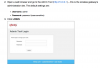
upload_2015-5-24_6-43-50.png

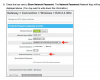
You choose WPA2 and the network password:

upload_2015-5-24_6-48-27.png

As I said, the network password can be between 8 and 64 characters.

Also as I said, the password is not used to encrypt your wifi stream. That's done by the protocol separately. With WPA2, each packet has a unique and newly generated 128 bit encryption key.
 
Last edited:
Denny, what I was saying is that people could share their XFinity account with their friends, who could then go around and get on to other people's "public" hotspots. A person could always willingly share their wifi password with a neighbor, but at least the sharing would be limited to that general area. Under this setup, they could get onto anyone's modem. Also, gaining a connection to an access point is the first step in hacking it right?

Anyway, about the encryption, I doesn't look like your connection to a hot spot is encrypted using wpa2. I looked at Comcast's doc on this, and it says that it will bring up a prompt for you to log in with your comcast xfinity account, which is a different network layer. They said that your password is encrypted as it's sent to the access point, but that's SSL encryption. Even though TKIP is constantly changing the encryption key, the initial communication relies on a pre-shared key "PSK", that is the wi-fi passcode.

So any wi-fi network without a lock is unencrypted wifi. (only encryption you get is encryption done by your browser).

 
Denny, what I was saying is that people could share their XFinity account with their friends, who could then go around and get on to other people's "public" hotspots. A person could always willingly share their wifi password with a neighbor, but at least the sharing would be limited to that general area. Under this setup, they could get onto anyone's modem. Also, gaining a connection to an access point is the first step in hacking it right?

Anyway, about the encryption, I doesn't look like your connection to a hot spot is encrypted using wpa2. I looked at Comcast's doc on this, and it says that it will bring up a prompt for you to log in with your comcast xfinity account, which is a different network layer. They said that your password is encrypted as it's sent to the access point, but that's SSL encryption. Even though TKIP is constantly changing the encryption key, the initial communication relies on a pre-shared key "PSK", that is the wi-fi passcode.

So any wi-fi network without a lock is unencrypted wifi. (only encryption you get is encryption done by your browser).


If people want to steal from comcast by sharing their account, so be it. That's between them, comcast, and the law. People steal pay per view, stream illegally on the internet, steal movies and software, etc. That's nothing new.

Using the shared public WiFi isn't getting into your modem. Hackers would need to break the SSL encryption while watching you connect to your private wifi to get into your private network. The public side is separate.

Login/password to access WiFi is done using EAP on top of WPA2, so you are using TKIP once connected. The login/password is authenticated against something like a radius database.

I love the concept of the public wifi. I use Time Warner and there are public WiFi spots in the neighborhood, with speeds up to 50Mbit. When I'm walking around listening to spotify streaming, it's using the WiFi instead of using my data plan bytes.

Mobile phones have WiFi profile capabilities. I installed the one for Time Warner, and the phone automatically connects to a public hot spot if I'm near it.

https://support.apple.com/en-us/HT202343

And this:

http://www.timewarnercable.com/en/a...fi-offers-access-to-wifi-while-on-the-go.html

upload_2015-5-24_8-26-19.png
 

Also your zdnet article is from 2005. That's 10 years ago. An eternity when it come to computers. The current standard is 16 characters.

SlyPokerDog said my article about password security is from 2005, but he's wrong - it's from June 5, 2012.

I really don't get why you do this? You argue and argue and argue. Why? Then you say I'm lying? Why?

Since you're big on screen captures here is one of the zdnet article you posted a link to.

tvp83dr.jpg
 

Users who are viewing this thread

Back
Top