- Joined
- Jul 15, 2007
- Messages
- 15,396
- Likes
- 9,089
- Points
- 113
May need to turn off GIPHY.



Follow along with the video below to see how to install our site as a web app on your home screen.
Note: This feature may not be available in some browsers.
May need to turn off GIPHY.

Thanks to Russ for upgrading the logo banner! Looks great! To posters if you haven't checked it out look at the top of the page at the banner...Clingan addition rocks!


Underlined 100, heart eyes, star sparkle, upside down smiley, exploding head


The search function sucks. It's harder than it should be to find threads etc.
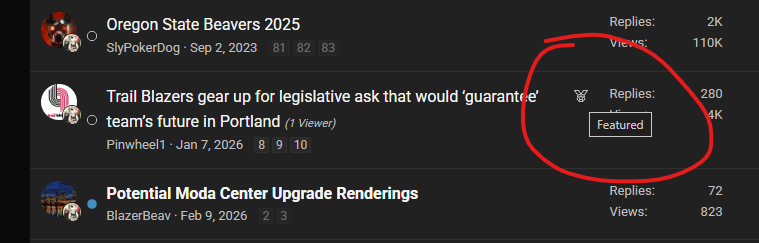
What is the medal icon next to threads? For example there is one next to the “Legislative Ask” thread, but I don’t see one next to any other threads.
Does this just mean it’s a hot/popular thread?

Thanks, I use mobile mainly and it doesn’t do anything when I click on it.If you hover your mouse over it, it says "featured"
We have some plans for the featured threads display. For now, they show up in the sidebar in the main forum list.

Can you give me an example of what you're looking for or having trouble with? Feel free to send me a conversation if you'd prefer to keep it private.

Go to Advanced SearchI just searched using the word "injury" - this forum option - and the most recent Blazer Injury Update Thread did not show up on the search results list. Only showed me a bunch of very old threads.
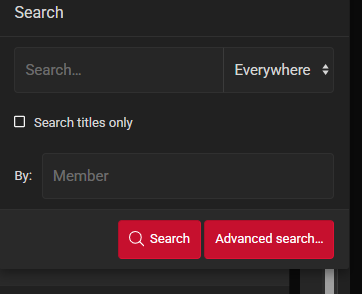
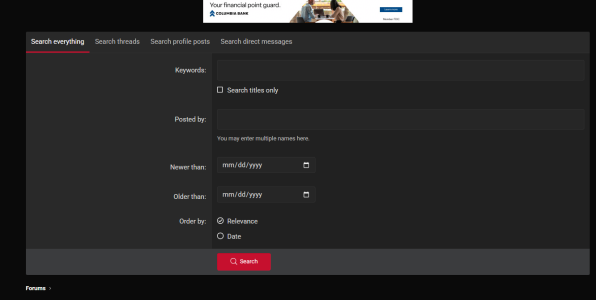
I've made an adjustment here for search results to "weigh" more recent posts heavier to show higher on the search results page. Seems to be working much better.
We had purchased an advanced search feature for the site software and it is installed... @Russ has been working on making the results better - especially favoring recent threads/posts over older ones.I just searched using the word "injury" - this forum option - and the most recent Blazer Injury Update Thread did not show up on the search results list. Only showed me a bunch of very old threads.

I'm a cat person.I LOVE YOU TOO!
but I dont love Sly. He sucks.


Hey! Get a room.I LOVE YOU

@Russ I was wondering is there any way to set the size for thumbnails at 113 so I don't have to keep doing it manually when I make game threads?
Any ward on some new emojis to use?


No built-in feature to do that. I might be able to add some custom code to automatically shrink those images when the thread has that specific prefix (GAME THREAD). I'll need to do some testing so it only targets the player images and not the other ones you upload.
I can add new ones for sure, just need to know which ones really. I'd probably not really want to GIF-specific ones posted earlier since now we have that GIPHY menu, but I can add new ones. The current "Smilies" menu contains all of the forums old ones:
Then it also contains every typical "emoji".
But if you guys upload some, I'll see about adding them (that are reasonable and ideally aren't normal "gifs"
Thanks. Interesting. It did it automatically on the old platform before we jumped. Maybe someone used code there too?
I see what's happening. It looks like the software did indeed update the default dimensions to 300px. It's recommending a minimum of 150px, would that be suitable for the thumbnails or does it need to be 113?
I see what's happening. It looks like the software did indeed update the default dimensions to 300px. It's recommending a minimum of 150px, would that be suitable for the thumbnails or does it need to be 113?

I hear he's a fan of peanut butter...I LOVE YOU TOO!
but I dont love Sly. He sucks.